Ask ten ops teams what their “AI workflow stack” is and you’ll get ten piles of disconnected subscriptions: a chatbot here, a Zapier zap there, an AI writing tool nobody remembers signing up for. That’s not a stack — it’s debt.
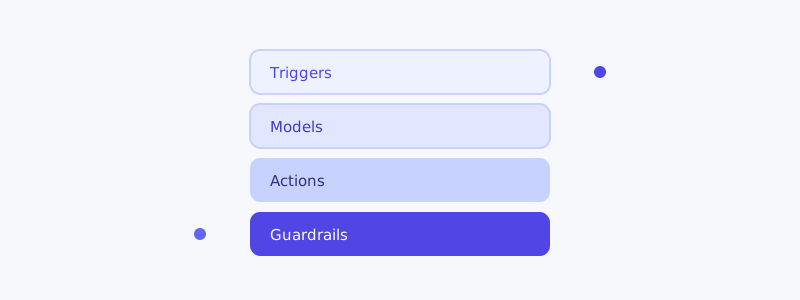
A real AI workflow stack has four layers, each with a clear job. Get the layers right and you can add tools without creating chaos.
Layer 1: Triggers (what starts the work)
Automation starts with an event. Your trigger layer is whatever detects that event:
- A new row in a database or spreadsheet
- An inbound email, form submission, or support ticket
- A scheduled time (“every morning at 7am”)
- A webhook from another system
Guardrail: every trigger needs a deduplication key. The single most common automation bug is the same event firing twice and doing the work twice. Decide upfront how you’ll recognize “I’ve already handled this.”
Layer 2: Context (what the AI needs to know)
This is the layer everyone underinvests in, and it’s why most AI automations feel dumb. Before the model acts, it needs the relevant context assembled: the customer’s history, the relevant policy, the prior conversation, the current inventory.
A useful rule: the quality of an AI action is capped by the quality of the context you give it. A brilliant model with no context produces confident nonsense.
Good context bundle for a support automation:
- The full inbound message
- The customer's last 3 interactions
- Their plan/tier and account status
- The 2-3 most relevant help articles
- What actions the AI is allowed to take
Layer 3: Reasoning + action (the AI itself)
This is where the model decides and acts. Two non-negotiables here:
- Constrain the action space. Don’t ask the AI to “handle the ticket.” Give it a menu: reply, tag, escalate, refund-under-$X, request-info. A bounded action space is debuggable; an open one is a liability.
- Always produce a confidence signal. The model should tell you how sure it is, so the next layer can decide whether to trust it.
Layer 4: Guardrails + review (catching mistakes)
The layer that separates a toy from a production system:
- Confidence gating — high confidence executes, low confidence routes to a human.
- Audit logging — every action, with the context and reasoning, stored and searchable. When something goes wrong, you need to reconstruct why.
- Kill switch — one toggle to pause an automation instantly when it misbehaves. Build this before you go live, not after your first incident.
- Feedback capture — human corrections become training examples.
If you only build one thing from this article, build the kill switch and the audit log. Everything else can be added later; these two are what let you sleep at night.
A reference: AI support automation
The clearest real-world example of all four layers working together is modern AI customer support. A tool like AItocha CX triggers on an inbound message, assembles customer context automatically, reasons over a bounded set of resolution actions, and gates everything behind confidence thresholds with full audit logs. Even if you’re automating finance ops or HR workflows, it’s worth studying how a mature support platform structures these layers.
Choosing tools per layer
You don’t need a single platform that does everything. You need one solid tool per layer that connects cleanly to the others:
| Layer | What to look for |
|---|---|
| Triggers | Reliable webhooks, dedup support, retries |
| Context | Easy data fetch/joins, caching |
| Reasoning | Model choice, function-calling, confidence output |
| Guardrails | Logging, approvals, instant pause |
Pick for connectivity over features. A tool that does 80% of what you want but integrates cleanly beats a 100% tool that lives on an island. The stack is only as strong as its weakest connection.