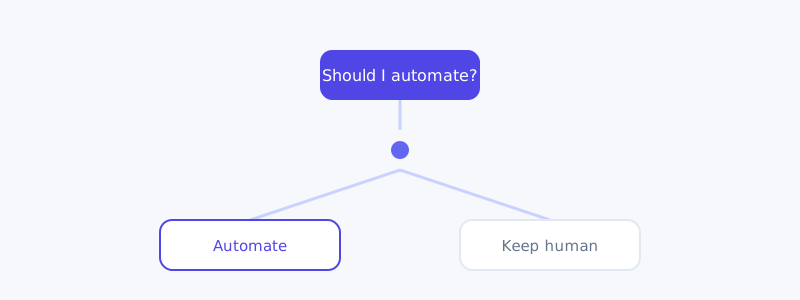
Every ops team gets the same memo eventually: automate more with AI. The memo never says which tasks, in what order, or where the landmines are. So teams either automate nothing (and stay buried) or automate everything (and create expensive, invisible messes).
This playbook gives you a decision framework, a sequencing order, and a hard list of things to leave alone.
The automation scorecard
Before automating anything, score the task on four axes from 1–5:
- Volume — how often does this happen? (Daily = 5, quarterly = 1)
- Repeatability — how identical is each instance? (Identical = 5, every one is different = 1)
- Reversibility — how easy is it to undo a mistake? (Trivial = 5, irreversible = 1)
- Judgment — how much human judgment does it require? (None = 5, deep judgment = 1)
Add the scores. A task scoring 16+ is a prime automation candidate. A task scoring under 10 should stay human. The middle needs a human-in-the-loop design.
This single scorecard prevents the most common failure mode: automating something rare, irreversible, and judgment-heavy because it felt annoying.
The sequencing order
Don’t automate in order of annoyance. Automate in order of safety and payback:
- Read-only reporting first. Dashboards, summaries, digests. If the AI gets it wrong, nothing breaks — you just fix the prompt. This builds trust and reveals data-quality issues early.
- Drafting second. Let AI draft replies, docs, and tickets that a human approves before they go out. You capture most of the time savings with a safety net.
- Triggered actions third. Once drafting is reliable, let AI take low-risk actions automatically (tagging, routing, status updates) with confidence thresholds.
- Closed-loop automation last. Fully autonomous actions on high-volume, low-risk, reversible tasks — and only after the first three stages have a track record.
Most failed automation projects skipped straight to stage 4. They tried to fully automate something before they understood its edge cases. Earn each stage.
What to never fully automate
Some tasks should always keep a human in the decision seat, regardless of volume:
- Irreversible financial actions — refunds above a threshold, payouts, account deletions.
- Anything legal or compliance-bound — contract terms, regulated disclosures.
- High-emotion human moments — cancellations from upset customers, complaints, anything where empathy is the product.
- Decisions that set precedent — the first time you handle a new situation, a human should decide. Automate it only after the pattern is clear.
Automating these doesn’t just risk errors — it risks the kind of error that’s expensive, public, or impossible to walk back.
A human-in-the-loop pattern that works
For everything in the messy middle, use this loop:
- AI proposes an action with a confidence score.
- Above the threshold → it executes and logs.
- Below the threshold → it routes to a human with full context attached, so the human starts at 80%, not zero.
- Every human correction feeds back as an example to improve the next decision.
This is exactly how the better AI support tools handle ticket resolution — platforms like AItocha CX auto-resolve high-confidence cases and escalate the rest with context, which is a clean reference implementation of the pattern even if you’re building automations in a totally different domain.
Your first 14 days
- Days 1–3: Score your top 15 recurring tasks on the scorecard.
- Days 4–7: Pick the two highest scorers. Automate them at the reporting or drafting stage only.
- Days 8–14: Measure time saved and error rate. If error rate is near zero, advance one stage. If not, fix the prompt before advancing.
Automation maturity isn’t about how much you automate — it’s about automating the right things in the right order, with a way to catch the machine when it’s wrong.